Nonprofit Fundraising Video: The Complete Guide to Videos That Drive Donations
How to plan, film and share a nonprofit fundraising video that lets donors feel the impact before they give. Story structure, the ask, and distribution.
A nonprofit fundraising video does one thing no annual report or email appeal can match: it lets donors feel the impact before they give. When someone watches a two-minute story about the family whose life changed because of your program, the ask that follows feels like an invitation — not a solicitation.
Yet most nonprofits either skip video entirely or produce content that checks a box without moving a dollar. This guide breaks down exactly how to create fundraising videos that convert viewers into donors, based on what we've seen work across dozens of nonprofit campaigns.
Why Fundraising Videos Outperform Every Other Ask
The data is clear: fundraising pages with video raise significantly more than those without. But the reason goes deeper than "video gets more clicks." Video creates emotional proximity. A donor reading about food insecurity understands the problem intellectually. A donor watching a mother describe how she feeds her children because of your food bank feels the problem — and the solution — in a way text cannot replicate.
This matters because giving decisions are emotional first, rational second. Donors don't calculate their way to a gift. They feel moved, then look for evidence that their gift will matter. A strong nonprofit video production strategy builds both the emotional trigger and the rational proof into a single piece of content.
The Three Types of Fundraising Videos That Actually Work
1. The Beneficiary Story
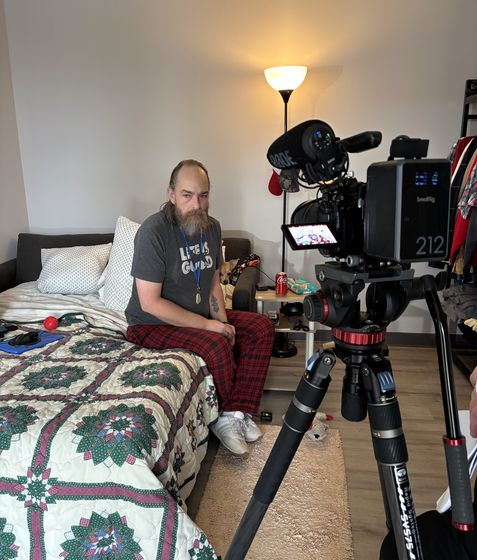
This is the most powerful format for driving donations. A single person, in their own words, describing how your organization changed their trajectory. The key is specificity — not "this program helped me" but "on March 3rd, I got the call that changed everything." Specific details create believability, and believability creates trust.
The best beneficiary stories follow a simple arc: what life looked like before, the moment of intervention, and what's different now. Keep it under three minutes. Let the subject speak. Resist the urge to overlay statistics or organizational messaging — the human story is the message.
2. The Impact Proof Video
Where the beneficiary story creates emotional connection, the impact proof video builds rational confidence. This format shows donors exactly where their money goes: how many meals served, how many students graduated, how many acres preserved. It answers the question every donor asks silently: "Will my gift actually make a difference?"
Impact proof videos work best when they combine numbers with visuals. Don't just say "we served 50,000 meals." Show the kitchen, the volunteers, the line of families, and then reveal the number. The visual context makes the statistic real.
3. The Urgency Campaign Video
This format is built for time-bound fundraising: year-end campaigns, matching gift periods, disaster response, and capital campaigns. The urgency video has one job — make the viewer act today instead of bookmarking the page for later. It works by combining a clear deadline with a specific consequence of inaction.
"We have 72 hours to raise $50,000 or this program shuts down" is exponentially more effective than "please consider donating." The urgency must be real — manufactured scarcity backfires with sophisticated donors.
How to Structure a Fundraising Video for Maximum Donations
Every high-performing fundraising video follows a similar structure, regardless of length or format:
The Hook (0-10 seconds): Open with the most emotionally compelling moment. Not your logo. Not your mission statement. The moment that makes someone stop scrolling. A child's face. A voice cracking with gratitude. A before-and-after that's impossible to ignore.
The Story (10 seconds - 2 minutes): Build the narrative arc. Establish the problem, introduce the person affected, show the intervention, reveal the transformation. Every second should earn the next second of attention.
The Bridge (2:00-2:15): Connect the individual story to the larger mission. "Maria is one of 3,000 families we serve each year." This is where you expand from personal to organizational — briefly.
The Ask (2:15-2:30): Be direct. Tell the viewer exactly what you want them to do and exactly what their gift accomplishes. "$50 provides a family with groceries for a month." Specific amounts tied to specific outcomes outperform vague appeals every time.
Production Quality vs. Authenticity: Finding the Balance
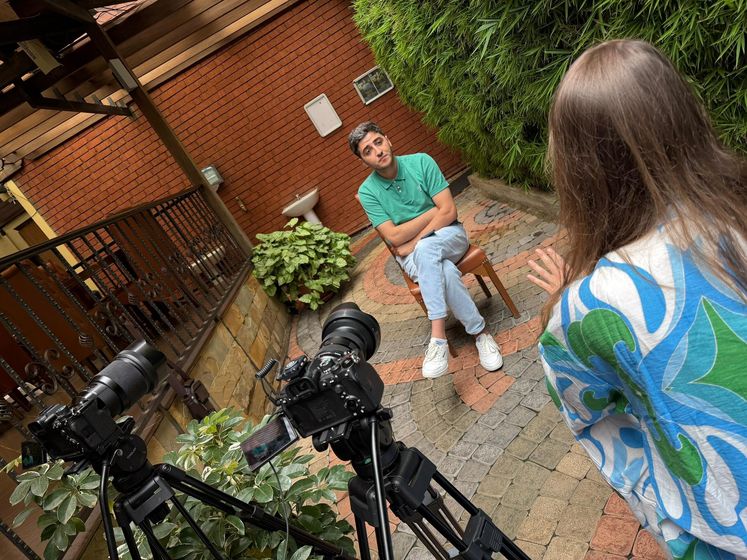
One of the biggest misconceptions in nonprofit video is that you need a Hollywood budget to create something effective. You don't. What you need is authentic storytelling captured with enough technical competence that it doesn't distract from the message.
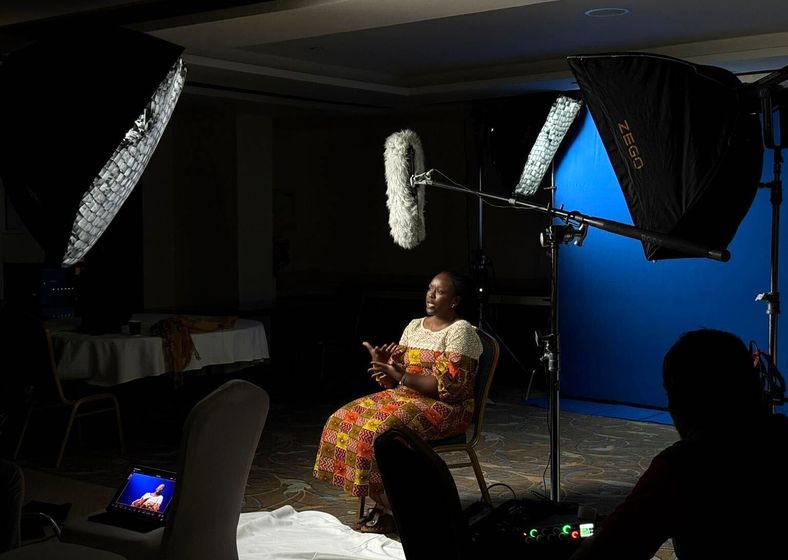
That means clean audio matters more than 4K resolution. Steady shots matter more than drone footage. Good lighting on an interview subject matters more than color grading. The production should be invisible — the viewer should forget they're watching a "video" and feel like they're meeting a real person.
Where professional production makes the biggest difference is in editing. Knowing which 90 seconds of a 30-minute interview contain the story. Knowing where to cut, where to hold, where to let silence do the work. That editorial judgment is what separates a fundraising video that raises money from one that gets polite nods.
Distribution: Where to Put Your Fundraising Video
Creating the video is half the battle. Getting it in front of donors is the other half — and the part most nonprofits underinvest in. Here's where fundraising videos perform best:
Your donation page: This is the highest-leverage placement. Every visitor to your donation page is already considering giving. A video at the top of that page can push conversion rates significantly higher. Keep it short — 60 to 90 seconds maximum for donation page videos.
Email campaigns: Including the word "video" in an email subject line increases open rates. But don't embed the video — use a compelling thumbnail with a play button that links to a landing page with the video and a donation form below it.
Social media: Platform-native uploads outperform shared links. Post natively to Facebook, Instagram, LinkedIn, and YouTube. Optimize each version for the platform — square for Instagram feed, vertical for Stories and Reels, landscape for YouTube. Always include captions since most social video is watched without sound.
Grant applications and board presentations: A two-minute impact video in a grant proposal or board deck communicates what ten pages of narrative cannot. If your organization is applying for funding, a video that shows your work in action is one of the strongest supplements you can include.
Common Mistakes That Kill Fundraising Video Performance
Leading with your organization instead of your beneficiary. Donors give to people, not logos. If the first thing they see is your brand, you've lost the emotional opening.
Making the video too long. For fundraising, shorter wins. Two minutes is the sweet spot for most campaigns. If you can't tell the story in two minutes, you're telling too many stories at once.
Burying the ask. Don't be shy about asking for money. You're not selling — you're inviting someone to be part of something meaningful. Put the ask clearly and confidently at the end, with a specific amount tied to a specific outcome.
Skipping distribution. A video with no distribution plan is a tree falling in an empty forest. Before you produce the video, know exactly where it will live, who will see it, and how you'll drive traffic to it.
Using stock footage instead of real footage. Donors can tell. Stock footage signals that you don't have real stories to show — which undermines the very trust you're trying to build. Even imperfect real footage outperforms polished stock.
Measuring Fundraising Video ROI
Track these metrics to understand whether your fundraising video is working:
View-to-donation conversion rate: Of the people who watched your video, how many donated? If you're running the video on a landing page with a donation form, this is straightforward to measure.
Average gift amount: Compare the average gift from donors who watched the video vs. those who didn't. Video viewers typically give more because they have stronger emotional engagement.
Retention rate: How much of the video do people actually watch? If 80% of viewers drop off in the first 15 seconds, your hook needs work. If they watch to the end but don't give, your ask needs work.
Social sharing: Fundraising videos that get shared organically extend your reach beyond your existing donor base. Track shares, and note which stories resonate enough to spread.
FAQ
How long should a nonprofit fundraising video be?
For donation pages and email campaigns, keep fundraising videos between 60 seconds and 2 minutes. For social media, 30-60 seconds works best. Longer formats (3-5 minutes) work for annual galas or board presentations where you have a captive audience.
How much does a nonprofit fundraising video cost?
Professional nonprofit fundraising videos typically range from $2,500 to $15,000 depending on scope, travel, and production complexity. Some agencies offer ongoing packages that bring the per-video cost down significantly through monthly production agreements.
Can we make a fundraising video with just a smartphone?
Yes, but invest in a basic external microphone and a tripod. Audio quality is the biggest factor in perceived production value. A well-lit smartphone interview with clean audio will outperform a poorly recorded DSLR shoot every time.
When is the best time to release a fundraising video?
Align your video release with your biggest fundraising moments: year-end giving season (November-December), GivingTuesday, spring galas, or capital campaign launches. Release the video 1-2 weeks before the campaign peaks to build momentum.
Should we include a specific dollar amount in the ask?
Always. Specific amounts tied to specific outcomes dramatically outperform open-ended asks. Instead of asking viewers to "donate," tell them exactly what $25, $50, or $100 accomplishes. Give them a mental anchor for their gift size.
Ready to Tell Your Nonprofit's Story?
Book a free consultation and discover how video can amplify your mission.
Schedule Your Free ConsultationExplore More Resources
Not sure where to start?
Book a free strategy call. We'll workshop a video concept for your nonprofit — no charge, no pitch deck.
Book my free callReady to put your story on screen?
Tell us what you're working on. In 15 minutes we'll sketch the video with you — what to film, who to put on camera, and where it should run.