Nonprofit Annual Report Video: Turn Your Impact Into a Story Donors Watch
How to create a nonprofit annual report video that shows your impact, engages donors and supports fundraising, with a timeline and distribution plan.
Every nonprofit publishes an annual report. Most of them sit unread in inboxes and recycling bins. The organizations that actually move donors to action are the ones turning those reports into nonprofit annual report videos that people genuinely want to watch and share.
A video annual report takes everything your organization accomplished over the past year and packages it into an emotional, visual story. Instead of asking donors to read 30 pages of statistics, you show them the faces behind the numbers.
Here is exactly how to create one that works.
Why a Video Annual Report Outperforms a PDF
The traditional annual report is a necessary document. It satisfies board requirements, demonstrates transparency, and gives major donors a reference they can review. But it is not a storytelling tool.
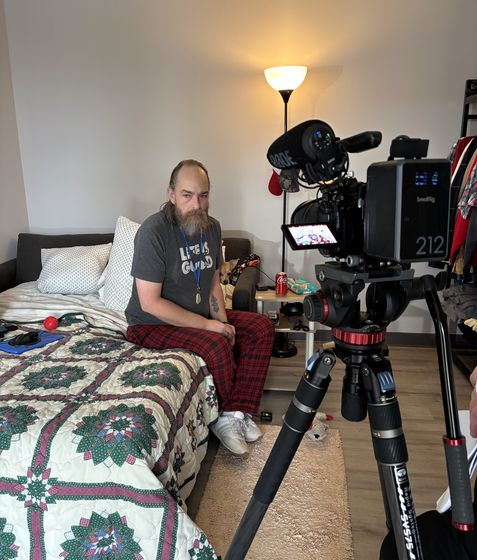
Video changes that. A 3-minute video showing a veteran receiving housing through your program creates a fundamentally different reaction than a paragraph describing the same outcome.
Emotional connection. Donors see real people, hear their voices, and witness the transformation your organization made possible. That emotional response is what drives repeat giving.
Shareability. Nobody forwards a 30-page PDF to their network. A compelling 3-minute video gets shared on social media, forwarded to board members, and embedded in fundraising emails. One annual report video can reach 10 times the audience of a printed report.
Accessibility. Video meets donors where they are — on their phones, in their social feeds, during a lunch break. You are not asking them to set aside 20 minutes to read. You are asking for 3 minutes of their attention.
This does not mean you eliminate your written report. The video becomes the lead — the piece that captures attention and drives donors to engage with the full report if they want the details.
What to Include in Your Nonprofit Annual Report Video
The biggest mistake organizations make is trying to put their entire written report on screen. That creates a long, data-heavy video nobody finishes. Instead, your video should focus on three elements.
One anchor story. Choose the single most compelling beneficiary story from your year. This becomes the emotional backbone of your video. One deep story beats five shallow ones.
Key numbers with context. Pick 3 to 5 statistics that demonstrate scale — but always connect them to people. "We served 12,000 meals" becomes powerful when you show the kitchen, the volunteers, and the families sitting down to eat.
A clear call to action. Your annual report video is not just a recap. It is a bridge to the next year. End with what is ahead, what you need, and exactly how donors can help make it happen.
For a deeper look at structuring video content around nonprofit fundraising goals, see our fundraising video strategy guide.
The Production Process: From Planning to Publish
Creating a nonprofit annual report video follows a predictable process. Here is the timeline that works for most organizations.
Weeks 1-2: Planning and scripting. Gather your year data, choose your anchor story, identify who needs to be interviewed, and write a script outline. This is also when you pull together any existing footage from events, programs, and past shoots.
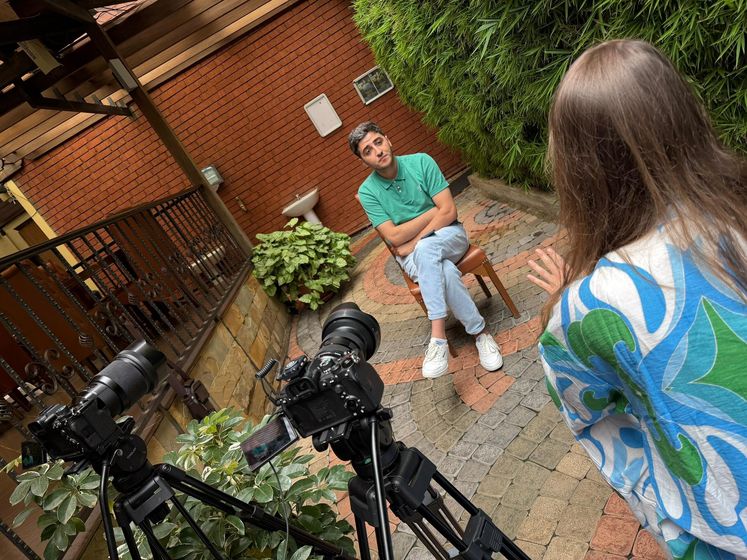
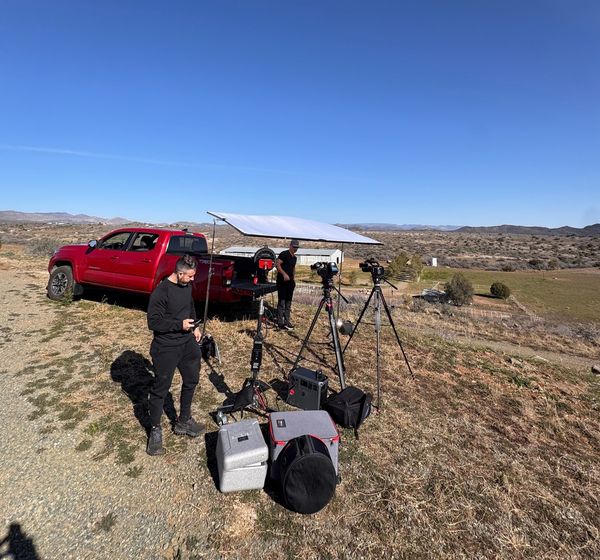
Week 3: Production. Plan on 1 to 2 shoot days. You will need interview footage from leadership and beneficiaries, b-roll of your programs in action, and location footage that brings your work to life.
Weeks 4-6: Post-production. Editing, color grading, sound design, graphics for your key statistics, and music selection. Plan for 2 to 3 rounds of revisions with your team.
Week 7-8: Distribution. Your video needs a distribution strategy, not just a YouTube upload. Embed it in your email annual report, post it natively on social platforms, feature it on your website, and prepare shorter cut-downs for Instagram, LinkedIn, and TikTok.
If you are evaluating what professional production involves, our start-to-finish nonprofit video production guide walks through every stage in detail.
How to Maximize Your Annual Report Video Reach
The video itself is only half the equation. Distribution determines whether 200 people see it or 200,000.
Create multiple versions. Your full annual report video might be 3 minutes. But you should also produce a 60-second version for social media, a 15-second teaser for stories and reels, and individual clips featuring your strongest moments. One shoot creates an entire quarter of content.
Email it to your entire list. Your annual report video is one of the few pieces of content relevant to every donor, volunteer, and supporter on your list. Send it as a standalone email with a simple subject line: "Here is what you made possible this year."
Use it in fundraising campaigns. Your annual report video proves you deliver results. Lead your giving campaign with the video, then follow with the ask. Donors who see impact first give more generously.
Pitch it to media. Local news outlets love human interest stories. If your annual report video features a compelling beneficiary story, it can earn media coverage that extends your reach far beyond your existing audience.
For context on what professional production and distribution typically costs, our nonprofit video production cost and budgeting guide breaks down pricing at every level.
Common Mistakes That Kill Annual Report Videos
Trying to include everything. Your video is not a comprehensive record. It is a highlight reel designed to make people feel something. Cut ruthlessly.
Leading with statistics instead of people. Open with a person, not a number. The first 10 seconds determine whether someone watches or scrolls. A face and a voice will hold attention.
Skipping the call to action. Every viewer who reaches the end of your video is a warm prospect. If you do not tell them exactly what to do next — donate, share, sign up — you waste that attention.
Waiting until the last minute. Annual report videos produced under deadline pressure show it. Start planning in Q3 for a Q1 release, or in Q1 for a spring release.
Publishing without a distribution plan. Uploading to YouTube and linking it in your newsletter is not a distribution strategy. Map out every channel, every format, and every audience segment before you finalize the video.
Turning Your Annual Report Into a Year-Round Asset
The smartest nonprofits do not treat their annual report video as a one-time project. They treat it as the anchor piece in a year-round content strategy.
Your annual report shoot produces hours of raw footage. The interview clips, the b-roll, the behind-the-scenes moments — all of that becomes social media content, email headers, website updates, and donor communications throughout the year. One production day can generate 50 or more individual content pieces when handled strategically.
If you are considering working with a production partner, our guide to video production for nonprofits covers how to evaluate companies, what questions to ask, and how to get the most value from your investment.
Your annual report is the story of what your organization accomplished. A video makes sure that story actually gets heard.
Schedule a free consultation with a nonprofit video expert
At Happy Productions, we help nonprofits use video to tell stories that drive donations, engagement, and real impact.
Schedule Free Consultation →
Explore More Resources
- Our Nonprofit Video Production Services — See how we help nonprofits tell stories that drive donations and engagement.
- Case Studies — Real results from 26+ nonprofit clients including 36M+ organic reach and 500% engagement increases.
- Fundraising Video Production — Videos designed to inspire donations and boost donor retention.
Not sure where to start?
Book a free strategy call. We'll workshop a video concept for your nonprofit — no charge, no pitch deck.
Book my free callReady to put your story on screen?
Tell us what you're working on. In 15 minutes we'll sketch the video with you — what to film, who to put on camera, and where it should run.